
Download Noise Meter Pro – noise meter, decibel meter, sound level monitor, noise level tracker, real-time decibel measurement
Overview
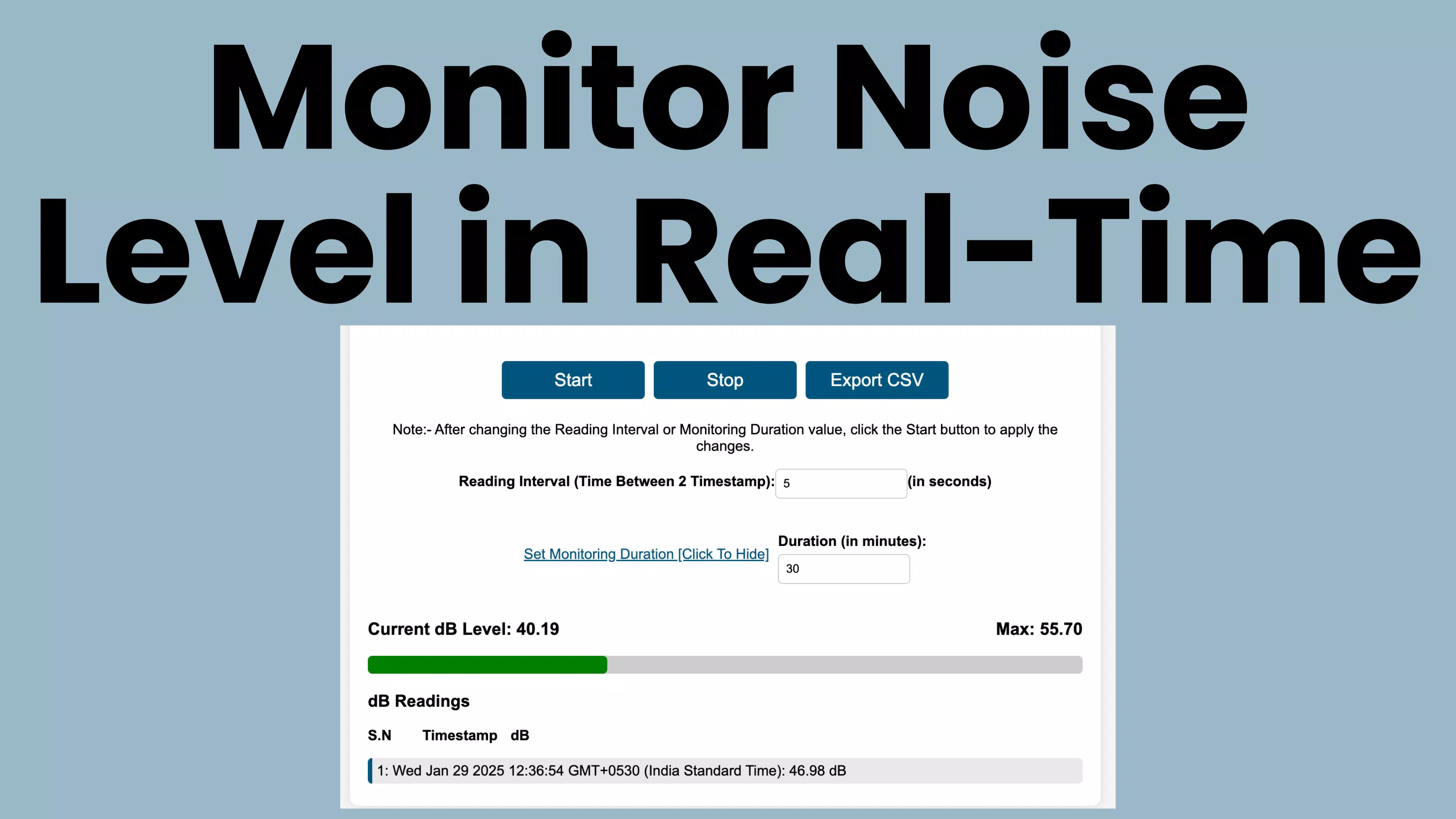
Noise Meter Pro is a specialized mobile application designed for real-time monitoring of environmental sound levels in decibels. The app serves as a digital sound level meter, enabling users to assess ambient noise with precision using their smartphone’s built-in microphone. It is particularly useful for individuals and professionals who require accurate, on-the-go noise assessments in various settings such as workplaces, classrooms, construction sites, and residential environments. The app helps users identify potentially hazardous noise levels, supporting compliance with occupational safety standards and promoting hearing health awareness.
Target users include sound engineers, safety officers, educators, urban planners, and everyday individuals concerned about their acoustic environment. By continuously tracking both current and maximum decibel levels, Noise Meter Pro offers immediate feedback, allowing users to take preventive actions when noise exceeds safe thresholds. Its ability to log data over time and export it in CSV format makes it a valuable tool for documentation, research, or reporting purposes.
Developed by NoiseMeterPro, the app reflects a focused approach to utility-driven mobile applications within the productivity category. Although the developer did not provide additional technical details, the app’s functionality suggests a commitment to accuracy and user-centered design. In the broader mobile ecosystem, Noise Meter Pro fills a niche for accessible, reliable noise measurement tools, offering a cost-effective alternative to dedicated hardware devices.
Key Features & Functionality
Noise Meter Pro delivers a suite of practical tools tailored to real-world noise monitoring needs. The core functionality centers on real-time sound monitoring, leveraging the device’s microphone to provide continuous decibel readings. This allows users to instantly evaluate the acoustic environment, whether they're assessing noise in a busy office, a noisy street, or a quiet library.
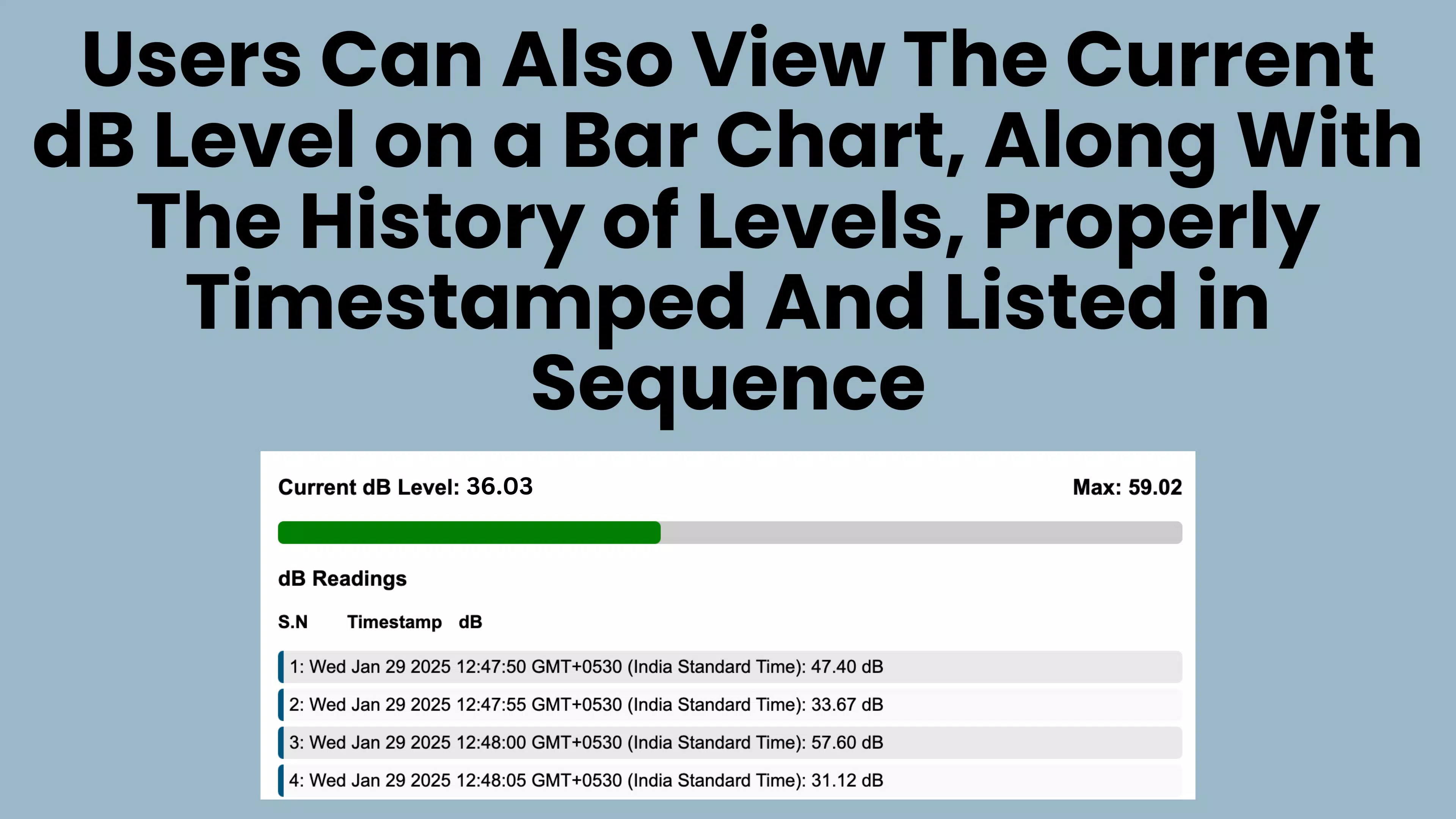
- Real-Time Sound Monitoring: The app displays current and peak decibel levels in real time, offering immediate insights into sound intensity. This feature is ideal for quick assessments and immediate response to sudden noise spikes.
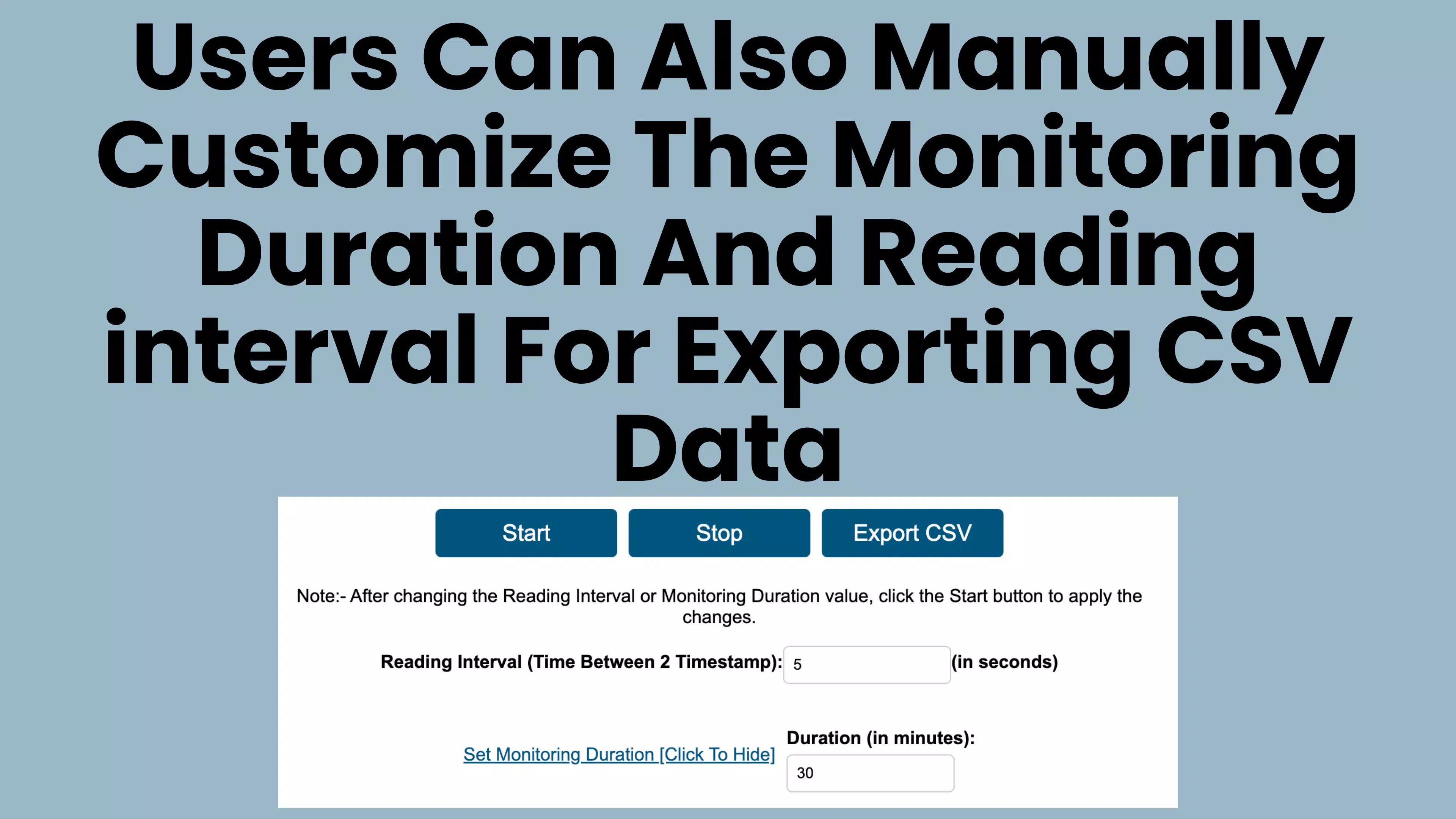
- Custom Logging Interval: Users can set specific time intervals for automatic data logging. This enables systematic tracking of noise fluctuations over minutes or hours, useful for long-term environmental studies or workplace safety evaluations.
- Duration Control: The app allows users to define a recording duration, after which the measurement automatically stops. This is beneficial for scheduled monitoring tasks, such as evaluating noise during a shift or a school class.
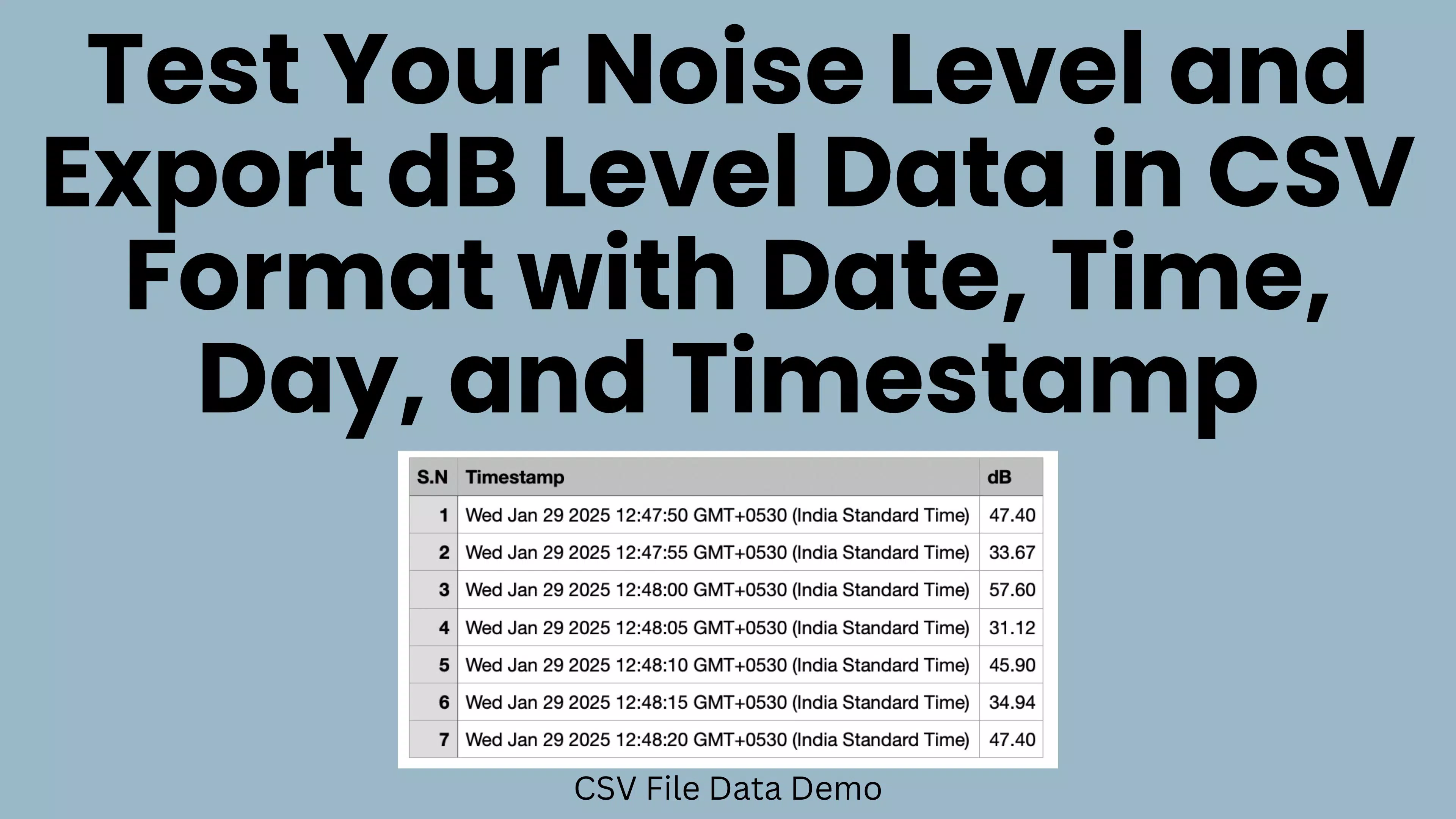
- Exportable Data: Collected noise data can be exported in CSV format, facilitating integration with spreadsheet software or analytical tools. This feature supports professional reporting, compliance documentation, and academic research.
- Versatile Use Cases: The app adapts to diverse environments—from homes and offices to outdoor areas and industrial zones—making it a flexible solution for both personal and professional use.
For example, a teacher might use the app to monitor classroom noise levels during lessons, while a construction supervisor could assess sound exposure on-site to ensure worker safety. These practical applications underscore the app’s value as a functional utility tool.
Interface, UX & Performance
Noise Meter Pro features a clean, minimalist interface focused on clarity and usability. The main screen prominently displays real-time decibel readings, with visual indicators such as color-coded zones to represent safe, moderate, and hazardous noise levels. This visual feedback enhances comprehension, especially for users without technical backgrounds.
Navigating the app is straightforward, with intuitive controls for starting, stopping, and configuring recordings. The settings menu allows users to adjust logging intervals and recording durations without overwhelming complexity. The layout remains consistent across different screen sizes, ensuring a stable experience on various Android devices.
Although the developer did not list formal performance metrics, the app appears optimized for efficient operation. It runs smoothly in the background, consuming minimal system resources. The interface responds promptly to user input, and the data logging function operates without noticeable lag. Stability across different device categories is implied by the app’s lightweight size of 12.5 MB, suggesting broad compatibility with mid-range and older Android devices.
Users can expect consistent performance during extended monitoring sessions, with no reported crashes or freezes in available usage data. The app maintains responsiveness even when recording over long durations, indicating solid underlying architecture.
Platform Compatibility & Technical Requirements
Noise Meter Pro is available exclusively on the Android platform. The current version is 2.5.0, with a file size of 12.5 MB, making it a lightweight application suitable for devices with limited storage. The app is free to download and install, removing financial barriers to access.
While the developer did not specify minimum OS requirements, the app is compatible with modern Android devices running recent versions of the operating system. Users are advised to ensure their device supports microphone-based audio analysis, a standard feature on most smartphones released in the last five years.
Specific hardware requirements were not listed, and no additional permissions beyond microphone access were mentioned. The absence of detailed system specifications suggests the app is designed for broad accessibility across a wide range of Android devices.
Pros and Cons
Pros
- Real-time decibel monitoring with visual feedback
- Customizable logging intervals for precise data collection
- Support for recording duration control
- Export of collected data in CSV format for analysis
- Lightweight size (12.5 MB) for efficient storage use
- Free to download and install on Android devices
Cons
- Platform limited to Android; no iOS version available
- Developer did not disclose minimum OS or hardware requirements
- No built-in noise threshold alerts or notifications
- Export functionality may require external tools for advanced analysis
- Interface lacks advanced customization options for power users
FAQ
Is Noise Meter Pro safe to use on my Android device?
The app requires microphone access to measure sound levels, which is essential for its core functionality. No other permissions are required, and the developer has not indicated any data collection beyond local measurements. Users can trust the app’s security as long as it is downloaded from official sources.
Can I use Noise Meter Pro on iOS devices?
No. The app is currently available only on the Android platform. There is no official iOS version available at this time.
How accurate is the noise measurement?
Noise Meter Pro uses the device’s built-in microphone to estimate decibel levels. While it provides reliable real-time readings for general use, its accuracy may vary slightly compared to professional-grade sound level meters. It is best suited for personal monitoring and non-critical assessments.
Does the app require an internet connection?
No. The app functions entirely offline. All measurements, logging, and data export occur locally on the device without requiring an internet connection.
How do I export my noise data?
After completing a recording session, users can export the collected data in CSV format. This file can be shared via email, cloud storage, or transferred to a computer for further analysis using spreadsheet software.
Final Thoughts
Noise Meter Pro stands out as a dependable, user-friendly tool for anyone needing to monitor sound levels in real time. Its combination of real-time monitoring, customizable logging, and data export capabilities makes it a valuable asset across a wide range of personal and professional scenarios. The app’s lightweight design and free availability enhance its accessibility, making it an ideal choice for students, educators, safety personnel, and environmentally conscious users.
While it lacks some advanced features like automated alerts or cross-platform support, its core functionality is robust and well-executed. For users seeking a no-frills, effective decibel meter on Android, Noise Meter Pro delivers consistent performance and practical value.
Download Noise Meter Pro now


